 I am not a superstitious person. I don’t feel the need to throw salt over my shoulder, I don’t avoid walking under ladders, I like black cats, and I think the best way to dry an umbrella is to open it inside the house. But after the number of terrible things that have happened to me, my friends and my family so far this year, I am just about ready to turn around my thinking on the whole number thirteen thing.
At the end of last year, I wrote a blog post about how grateful I was for the state of my life at the time. Things were going so well I could hardly believe my luck. Then we took a Christmas trip to Australia, which was fantastic – we even managed to drag our two and a half year old to the other side of the world and back without so much as a single airport tantrum or piece of luggage lost. But when we got back, well that was when it all started turning to crap.
Without going into too much detail about each thing (there are so many stories, and not all of them are ones I’m ready to share here), the following happened over the course of the next six months:
- My company was downsized and I lost my job (okay, not an entirely unwelcome situation, but still scary)
- A friend from work took her own life
- A nasty falling out with a colleague in the new business I had been involved with outside my regular job caused me to consider walking away from the entire thing (I didn’t)
- One of the cats I had to leave behind in Australia wandered away from her foster home and is presumed dead (she was eighteen years old)
- We were unjustifiably sued over the handover of our apartment after we sold it
- We had to pay for our daughter’s daycare place through July even though she would be leaving in March
- We got a new daycare place for August, meaning we had to hire a nanny for the interim, which costs double what one normally pays for daycare (so now we’re effectively pay three times what we normally would)
- In renovating the kitchen in our new house, the electrician found faulty wiring all over the place and we had to replace the entire electrical system
- A further falling out with the aforementioned colleague left the business in ruins (this time I did walk away)
- My boyfriend’s business was subjected to an audit by the tax authorities (luckily everything was fine – he’s the least dodgy person I know)
- My daughter was mistakenly given a peanut and was rushed to hospital with anaphylactic shock
- I was swindled by a logo designer who, it turns out, stole the design I paid him to create
- My website was deleted with no backup
- The other cat I left behind in Australia also passed away
- A family member was diagnosed with cancer
And that’s just the stuff that happened to us! Everywhere else this year I’m hearing about long-term relationship breakups, money problems, depression, loss of jobs… it goes on and on. Without wanting to sound whiny and petulant, it’s just not fair! These are good people – WE are good people – and we don’t deserve all this crap.
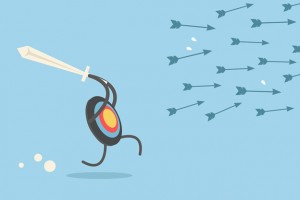
In ten days 2013 will be halfway over, and I’ll tell you what, I’m not going to take this rubbish anymore. Okay, 2013, I get it. You’re a badass. You’re the devil’s year and you’re out to prove it. Seriously, get over yourself! You want to push me? Then you get to find out what happens when I get pushed too far: I start pushing back. And you know how I’m going to do it? I’m going to kick some ass of my own. By the end of this miserable, cursed year, I will have finished the two novels I’m concurrently writing, I will get that damn publishing contract, my new businesses will be thriving, and you can go flex your big, fat, unlucky muscles somewhere else. And while you’re at it, think about this: you’re only going to survive another six months – is this how you want us to remember you? As a mean bitch who can’t let people live their lives and be happy? Get a life, 2013, and back up off mine.


 …death to a three-year-old? A week or so ago, my mum was visiting from Australia and overheard me trying to explain to my daughter why the fly on the windowsill couldn’t fly away. I said it got old, had finished living and now it was dead.
 Last week I discovered something unbelievably
 It’s only natural to start thinking more about manners and their importance when you’re responsible for shaping and guiding a young life. Now that my daughter is old enough to express herself verbally, as well as through body language and facial expressions, I find I’m becoming ever more aware of the differences between the way I was brought up, and the way my friends, peers and I are bringing up our children.
 I am increasingly concerned about the sorts of things some of my Facebook friends are sharing and circulating – not because I disagree with them (though I often do), but because they seem so willing to perpetuate blatantly untrue statements, quotes and news pieces just because they grab onto the emotive nature of the item, which, frankly, is the intention of the originator.